Web
You can listen to supported books in BookFusion on the Web using Standard Text to Speech or Realistic Voices.
Standard Text to Speech uses the voices already available in your browser or operating system. Realistic Voices provide a more natural-sounding listening experience and are available on the Web for supported plans.
Use this guide to start listening, choose a voice, and manage playback in the BookFusion Web reader.
Before you begin
Before using Text to Speech on the Web, make sure:
- You're using the latest version of a supported browser.
- You've opened a supported book in the BookFusion Web reader.
- Your device has audio enabled.
- Your browser or operating system has at least one available voice.
If you want to use Realistic Voices on the Web, make sure your current plan includes streaming Realistic Voices. See Access and Plans.
Start listening on the Web
To start listening in the BookFusion Web reader:
-
Open a supported book.
-
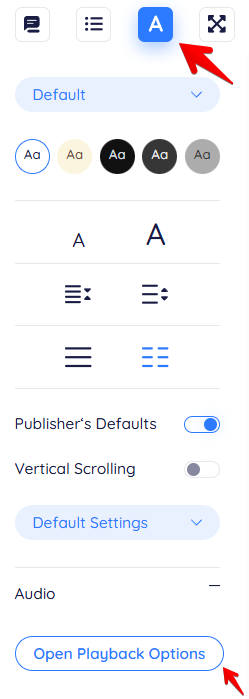
Tap the A icon in the top-right corner to open the reader settings, where you can access audio and playback options.
-
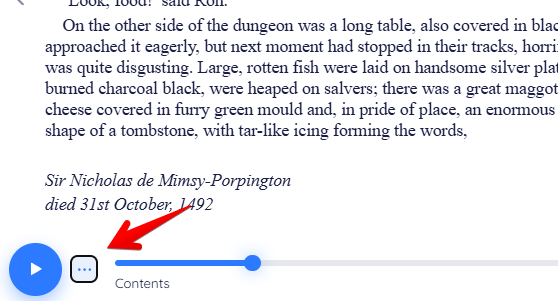
You can also tap the ellipsis icon (…) to access the playback options.
-
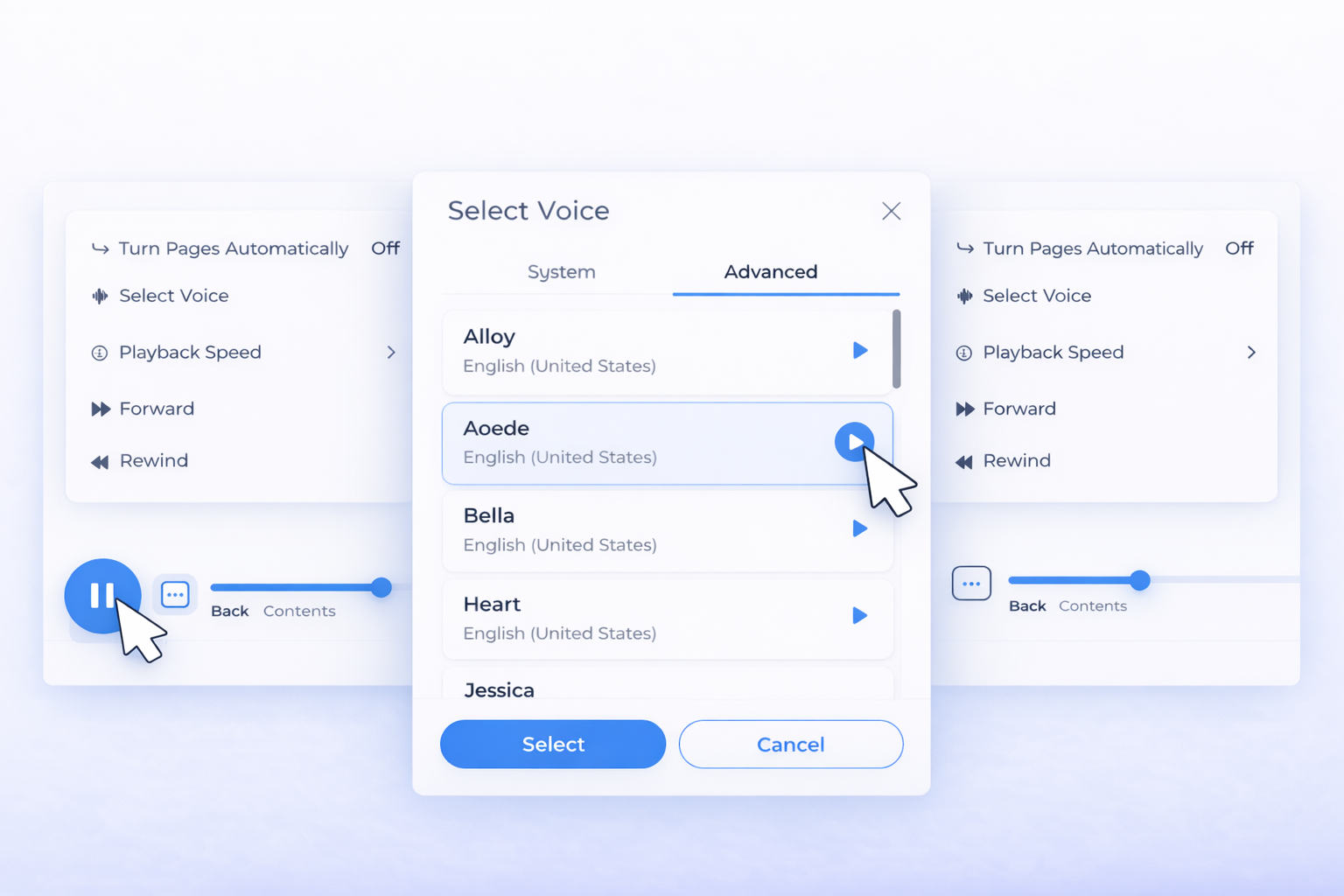
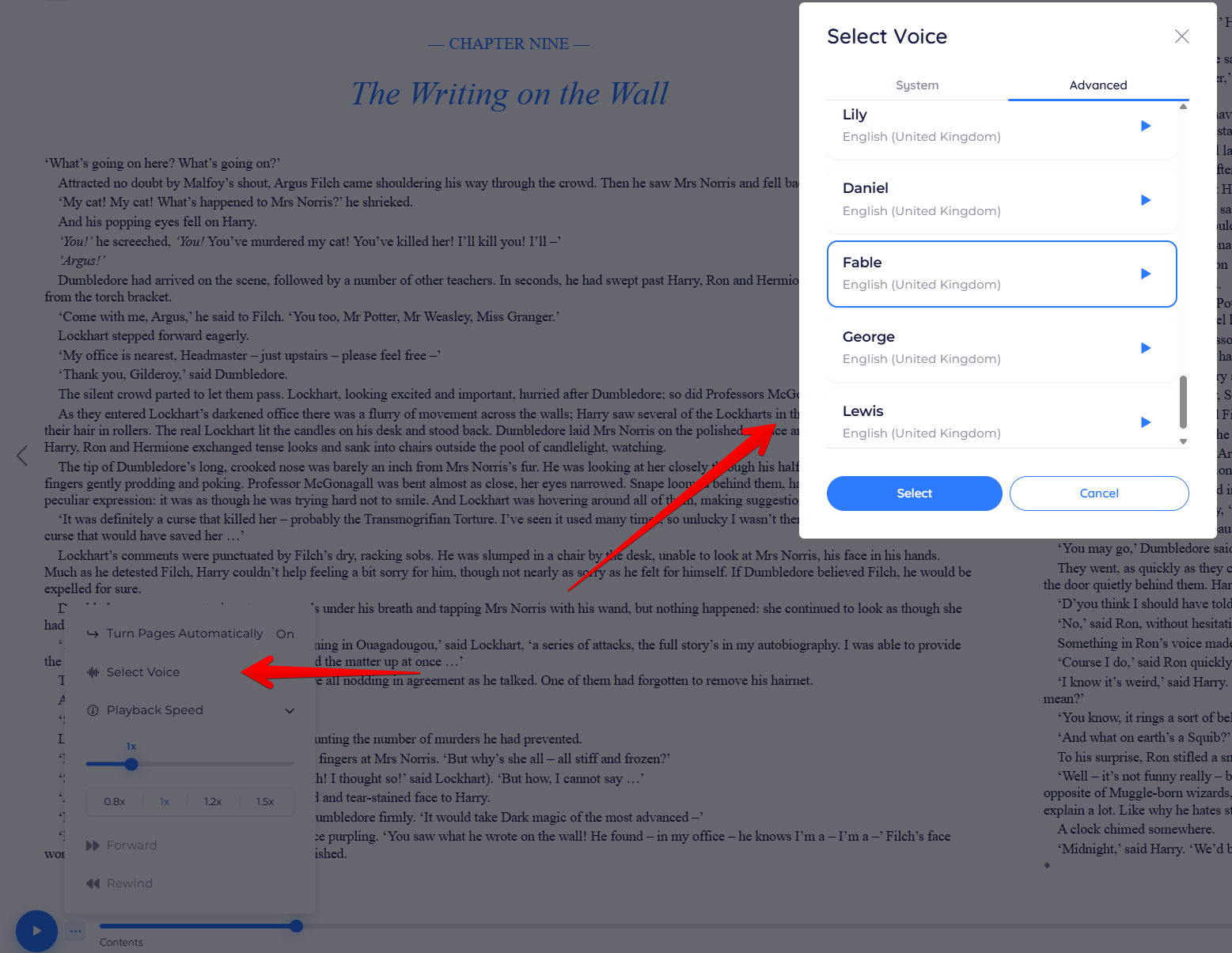
Tap Select Voice, then choose a voice from the System tab for Standard Text-to-Speech voices, or open the Advanced tab to access Realistic Voices available with your plan and device.
-
Press Play.
Playback begins, and you can continue following along in the text.
Choose a voice
BookFusion on the Web may show one or both of the following listening options, depending on your setup.
Standard Text to Speech
Standard Text to Speech uses the voices already available through your browser or operating system. This is the easiest way to start listening on the Web.
Realistic Voices
Realistic Voices provide a more natural listening experience. On the Web, Realistic Voices are available as streaming voices for supported plans. See Access and Plans.
Playback controls on the Web
While listening on the Web, you can use playback controls to manage your session.
Depending on your setup, you may be able to:
- Play and pause narration.
- Skip backward and forward.
- Change playback speed.
- Change voices.
- Resume where you left off.
For more details, see Playback Controls.
Reading while listening
You can continue following along in the text while audio is playing.
This is useful when you want to:
- Combine reading and listening.
- Stay focused on the text.
- Review difficult sections.
- Move more comfortably through longer books.
Browser and voice availability
Standard Text to Speech on the Web depends on the voices available through your browser and operating system.
Because of this, voice availability may vary depending on:
- Your browser.
- Your operating system.
- Your installed system voices.
- Your selected language.
If you don't see the voice you expect, check your browser or system voice settings.
For the best Standard Text-to-Speech experience on the web, use Microsoft Edge to access Microsoft natural voices or use Google Chrome for high-quality Google system voices. If voices are missing, check your browser, system voice settings, and selected language.
Realistic Voices on the Web
If your plan includes streaming Realistic Voices, you can select them directly from the available voice options in the BookFusion Web reader.
Realistic Voices on the Web don't require a local model download. They are streamed while you listen, so an active internet connection is required.
If you don't see Realistic Voices on the Web, check that:
- Your current plan supports streaming Realistic Voices.
- Your browser is up to date.
- Your internet connection is active.
- Your account is signed in correctly.
If something is not working
If Text to Speech doesn't start on the Web, check the following:
- Make sure your browser audio is turned on.
- Confirm that at least one voice is available in your browser or system.
- Refresh the page and try again.
- Make sure you're using the latest version of your browser.
- Check that the book format is supported.
- Confirm that your plan includes the listening option you're trying to use.