Realistic Voices Overview
Realistic Voices make listening in BookFusion sound more natural and immersive.
While Standard Text to Speech uses the voices available on your device or browser, Realistic Voices are designed to provide a richer listening experience that feels closer to professionally narrated audio.
If you're new to listening in BookFusion, start with the Text to Speech Overview. If you're ready for a more natural-sounding experience, Realistic Voices are the next step.
Why use Realistic Voices
Realistic Voices make listening more enjoyable for long reading sessions, fiction, non-fiction, study, and multitasking.
They are especially useful when you want to:
- Listen with a more natural voice.
- Switch between reading and listening more comfortably.
- Stay immersed in the rhythm of the text.
- Enjoy a richer audio experience across supported devices.
Standard TTS vs Realistic Voices
BookFusion offers more than one way to listen.
Standard Text to Speech
Standard TTS uses the voices already available through your operating system, browser, or device settings. It's a great option when you want to start listening quickly with minimal setup.
Realistic Voices
Realistic Voices provide a more expressive and natural-sounding listening experience. They're a great option when you want a more immersive way to enjoy your books.
If you're not sure which option is available to you, see Access and Plans.
Where Realistic Voices are available
Realistic Voices are available on supported BookFusion platforms and plans. For device-specific instructions, see Mobile (Android & iOS).
Realistic Voices come in two forms: streaming models, which play without downloading, and downloadable models, which run directly on supported mobile devices. Availability depends on your plan, platform, and device. See Access and Plans for details.
How to get started
To start using Realistic Voices:
-
Open a supported book in BookFusion.
-
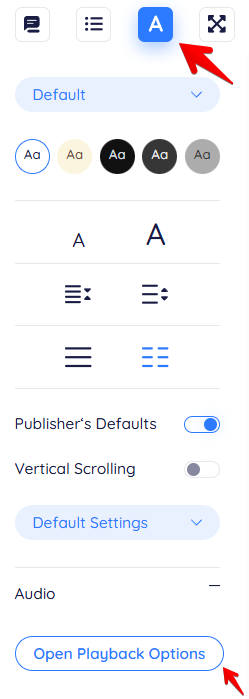
Tap the A icon in the top-right corner to open the reader settings, where you can access audio and playback options.
-
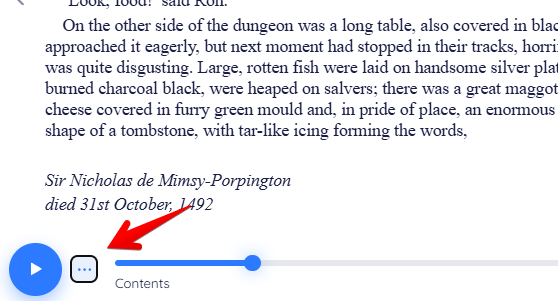
Enable Text to Speech, or tap the ellipsis icon (…) if it is already available.
-
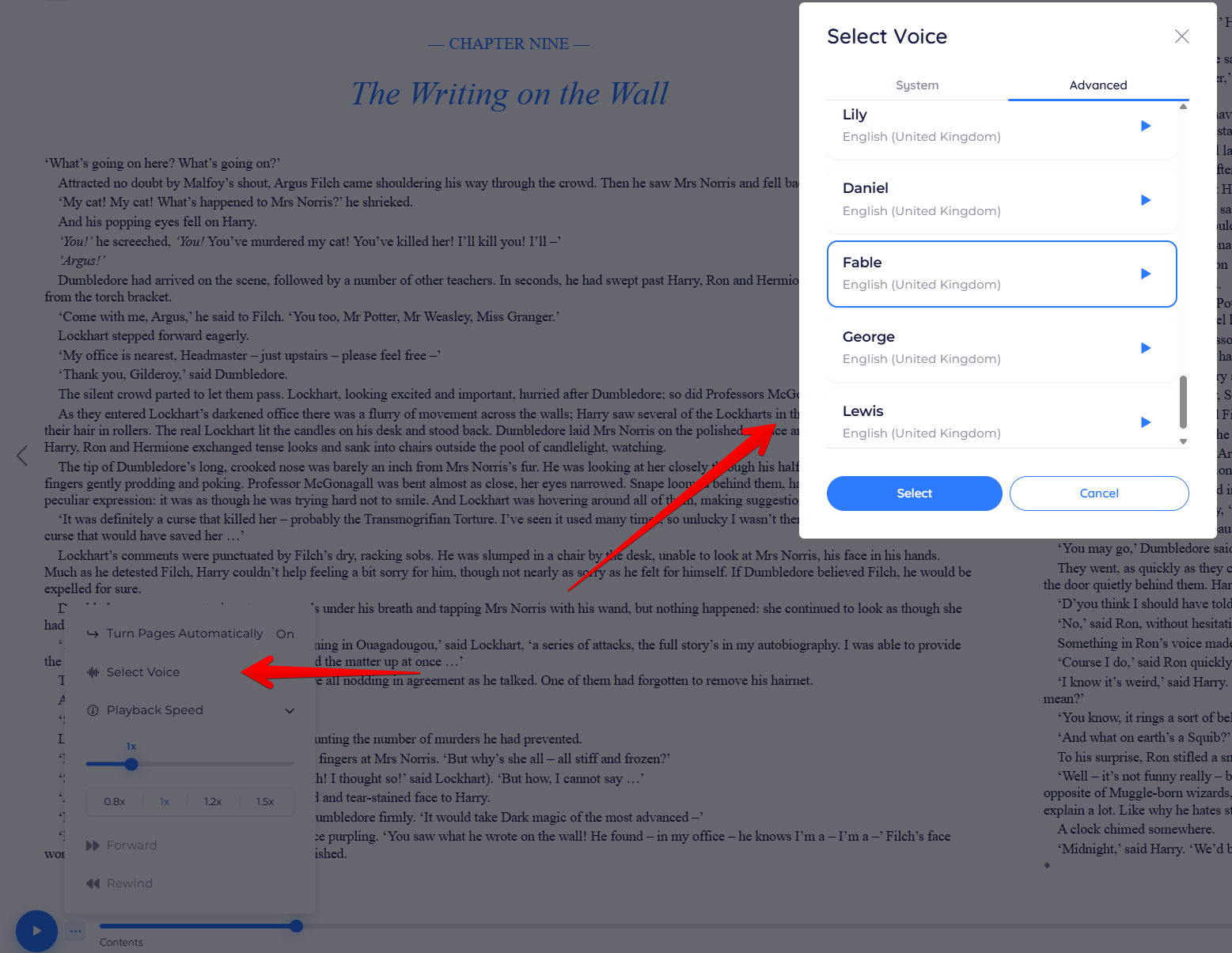
Tap Select Voice, then choose a voice from the Advanced tab to access Realistic Voices if it's available with your device and plan.
-
Press Play to begin listening.
Playback begins with the selected Realistic Voice
The exact steps vary slightly depending on whether you're on mobile or web.