Playback Controls
BookFusion provides playback controls to help you manage your listening experience while using Text to Speech.
These controls let you start, pause, navigate, and customise playback while listening to supported books with Standard Text to Speech or Realistic Voices.
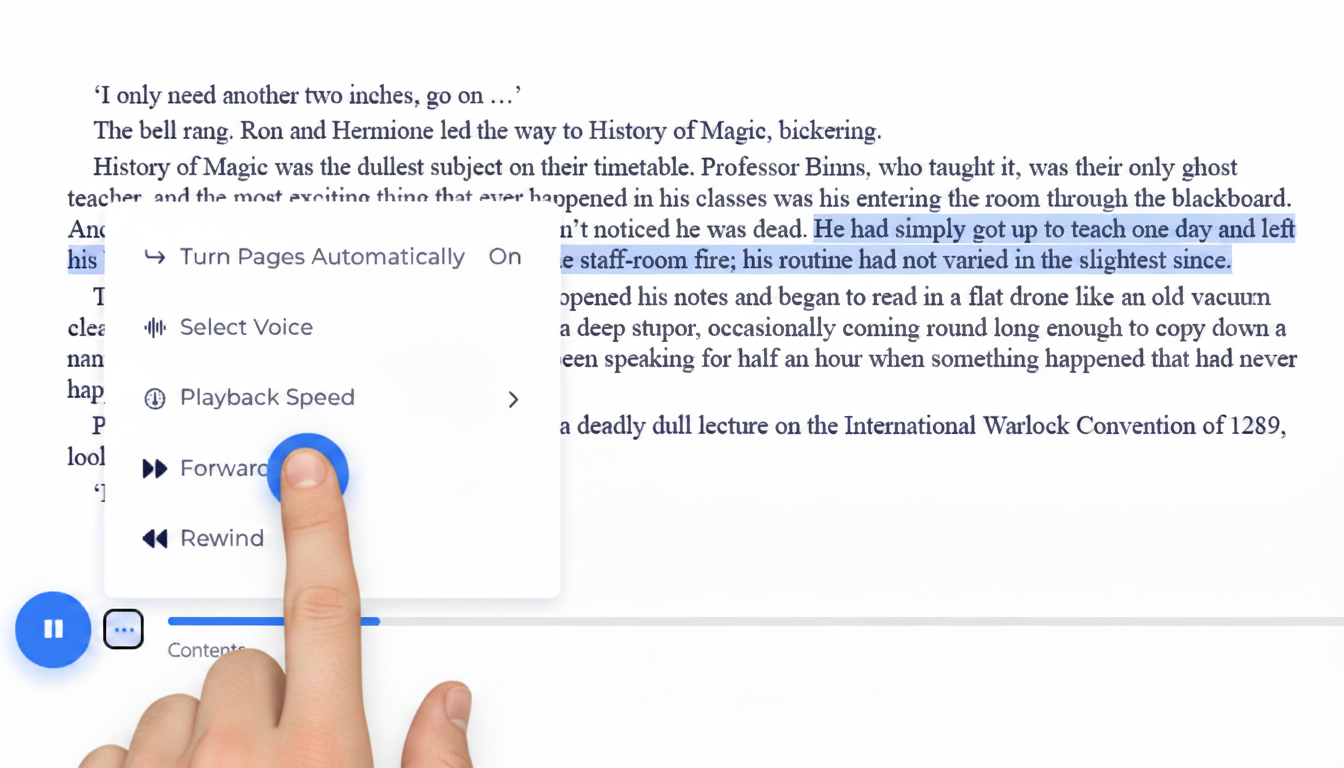
Available controls
Depending on your device, platform, and listening option, BookFusion may provide the following playback controls:
- Play
- Pause
- Skip backward
- Skip forward
- Change playback speed
- Change voice
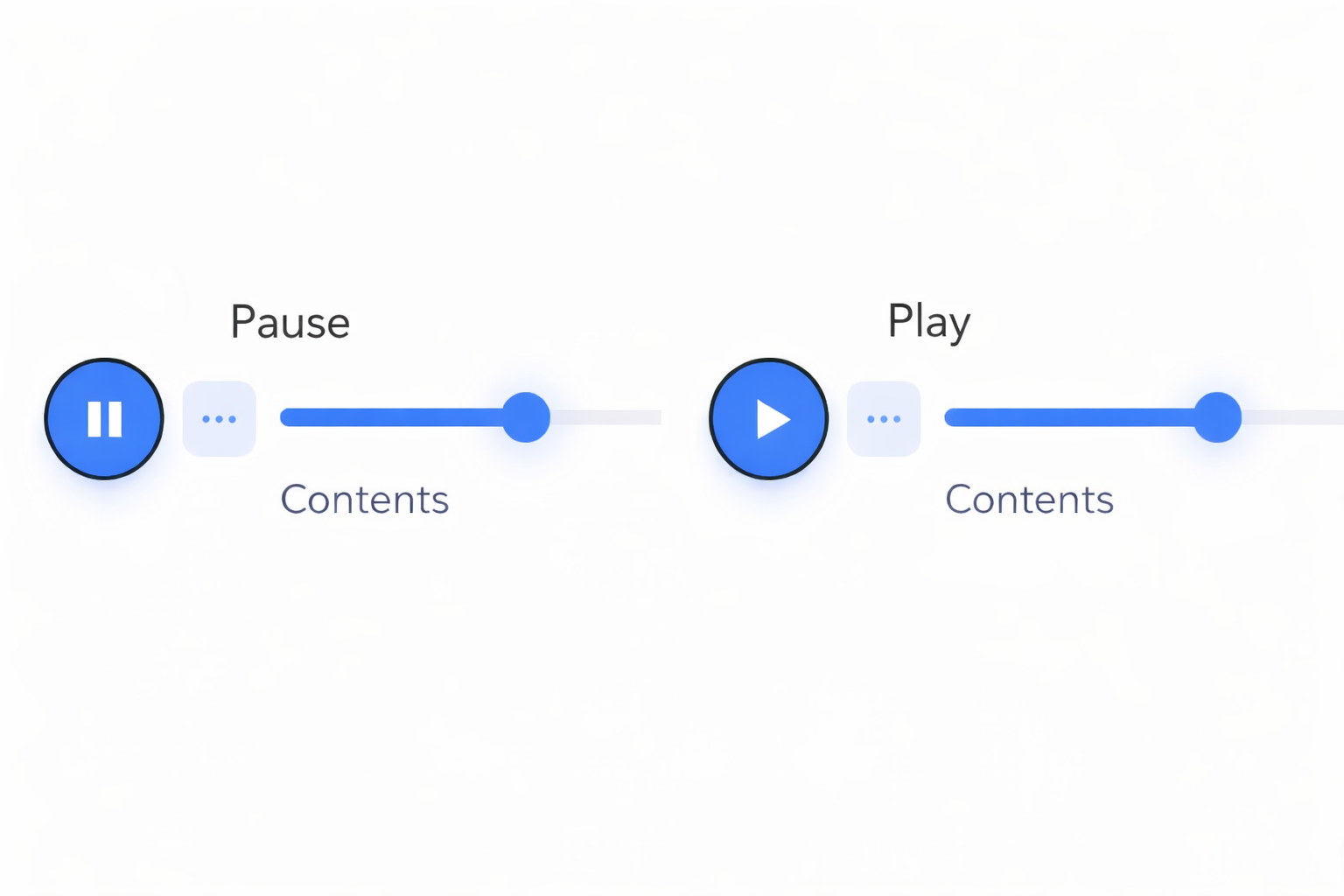
Play and pause
Use Play to begin listening to the current book.
Use Pause to stop playback and continue later from the same position.
This makes it easy to switch between reading and listening at any time.
Skip backward and forward
Use the backward and forward controls to move through the text while listening.
These controls are useful when you want to:
- Replay a section you just heard.
- Skip ahead.
- Revisit a sentence or passage.
- Continue from a more comfortable point in the text.
The exact skip behaviour may vary depending on the platform and content being played.
Change playback speed
Use the playback speed control to make narration slower or faster.
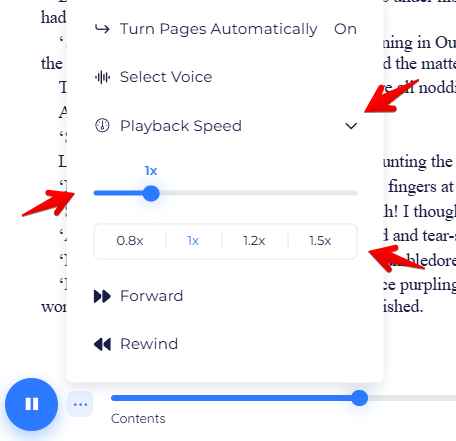
A slower speed may be useful when:
- You're listening carefully for study.
- You're following along closely in the text.
- You're listening in a non-native language.
A faster speed may be useful when:
- You want to move through a book more quickly.
- You're reviewing familiar material.
- You prefer a faster listening pace.
You can change the speed at any time while listening.
Change voice
Use the voice selector to switch between available voices.
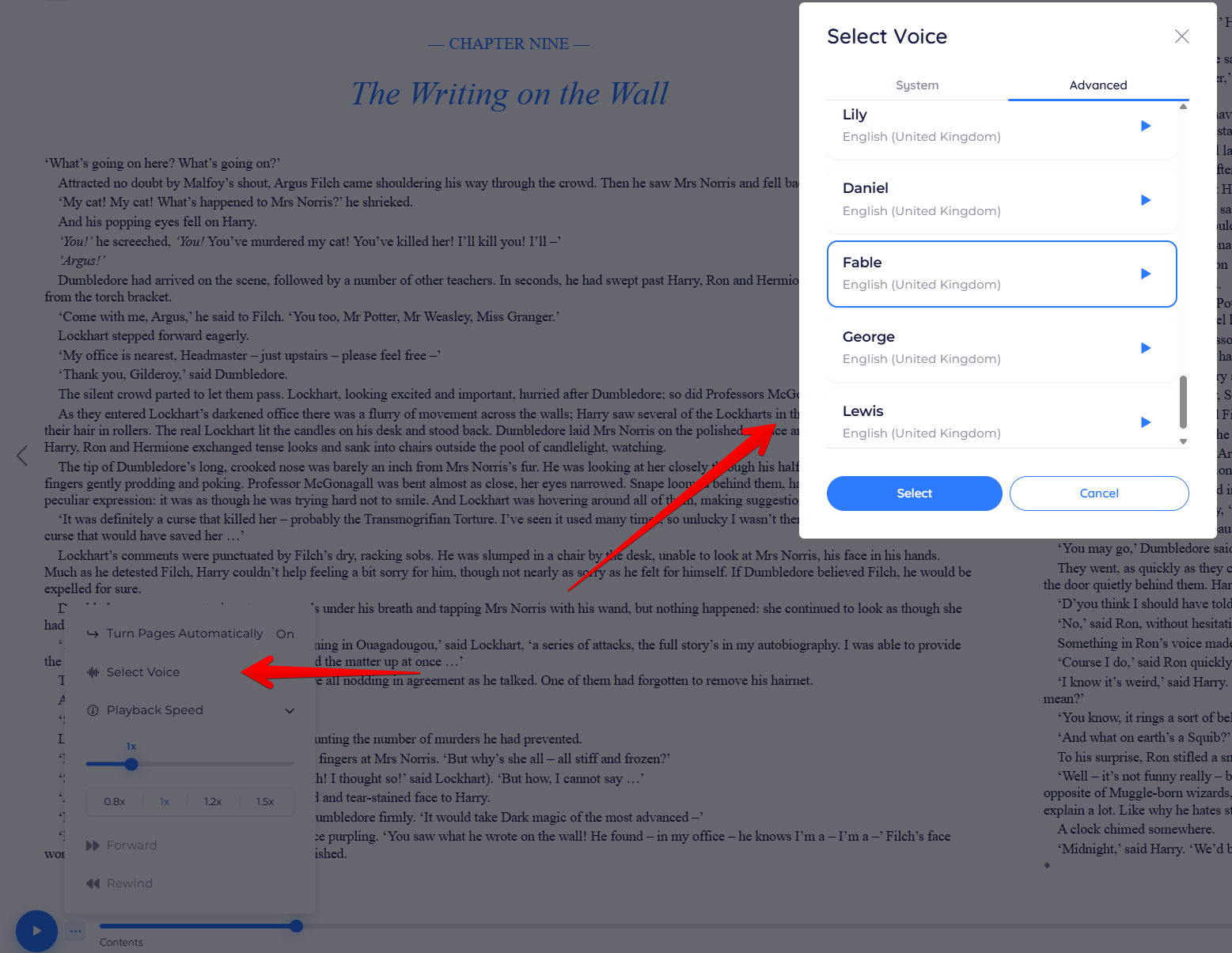
Depending on your setup, this may include:
- Standard device or browser voices.
- Realistic Voices.
- Downloaded voice models on supported devices.
If the voice you want is not available, see Access and Plans.
Following along in the text
While listening, you can continue reading along in the book.
This makes it easier to:
- Stay focused on the content.
- Switch between visual reading and listening.
- Review difficult passages.
- Combine reading and audio in the same session.
Notes about playback behaviour
Playback controls may behave slightly differently depending on:
- Whether you're on mobile or web.
- Whether you're using Standard Text to Speech or Realistic Voices.
- The format of the book.
- The voices supported by your device or browser.