How to use Offline Realistic Voices on iOS
On iPhone and iPad, BookFusion lets you download realistic voices directly in the app. Once the required TTS model and your selected voice are downloaded, you can continue listening even when your device is offline.
Before you begin
Before downloading offline voices, make sure:
- You're using an iPhone or iPad.
- You have an internet connection for downloading the voice and the TTS model.
- You have enough storage space on your device for the voice and model files.
Download an offline voice
To download and use an offline voice in BookFusion:
-
Open a supported book.
-
Tap the ellipsis icon (…).
-
Tap Select Voice.
-
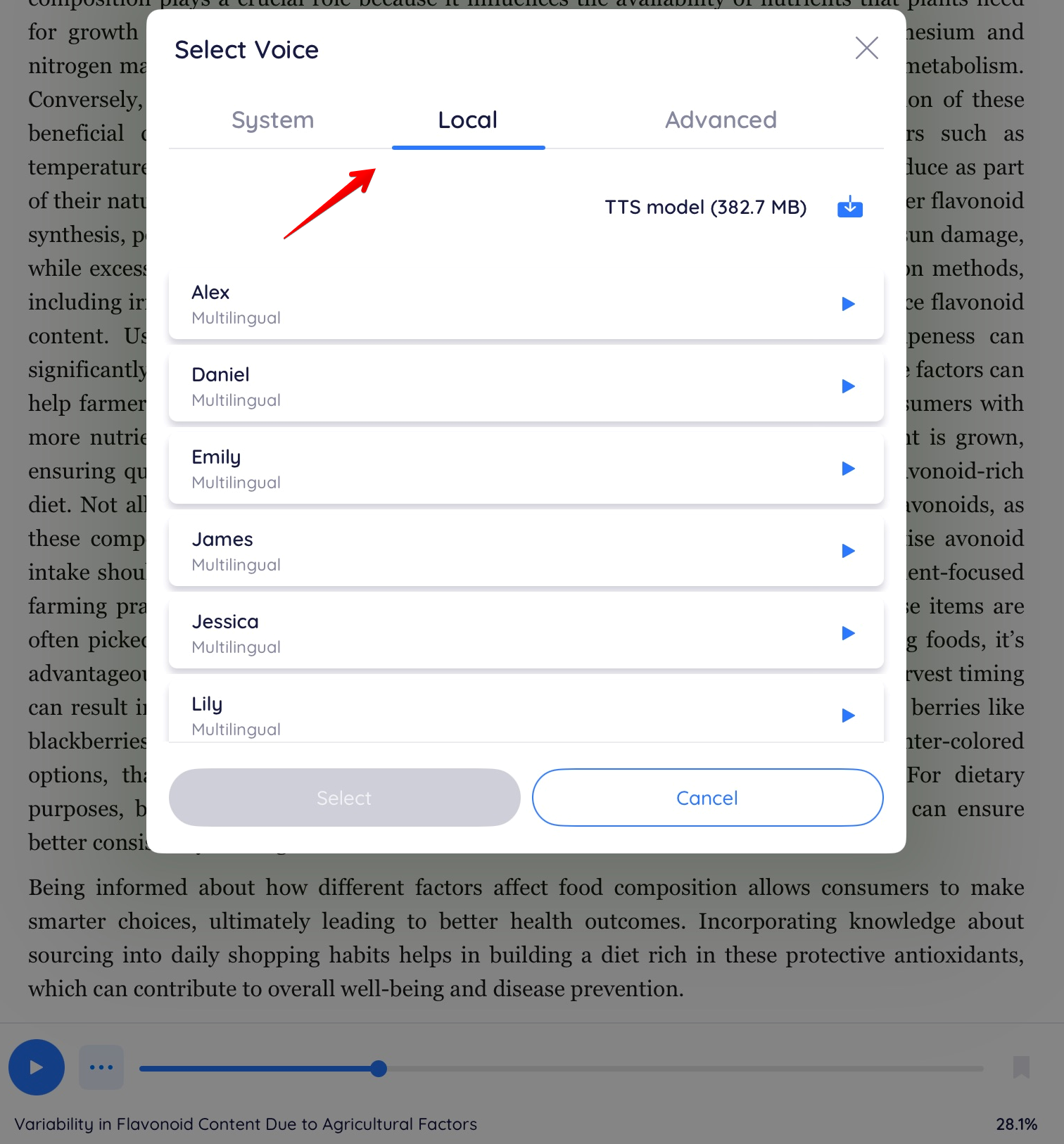
Tap the Local tab in the Select Voice dialogue.
The Local tab lists the voices that can be downloaded and used fully offline, such as Alex, Daniel, Emily, James, Jessica, and Lily.
-
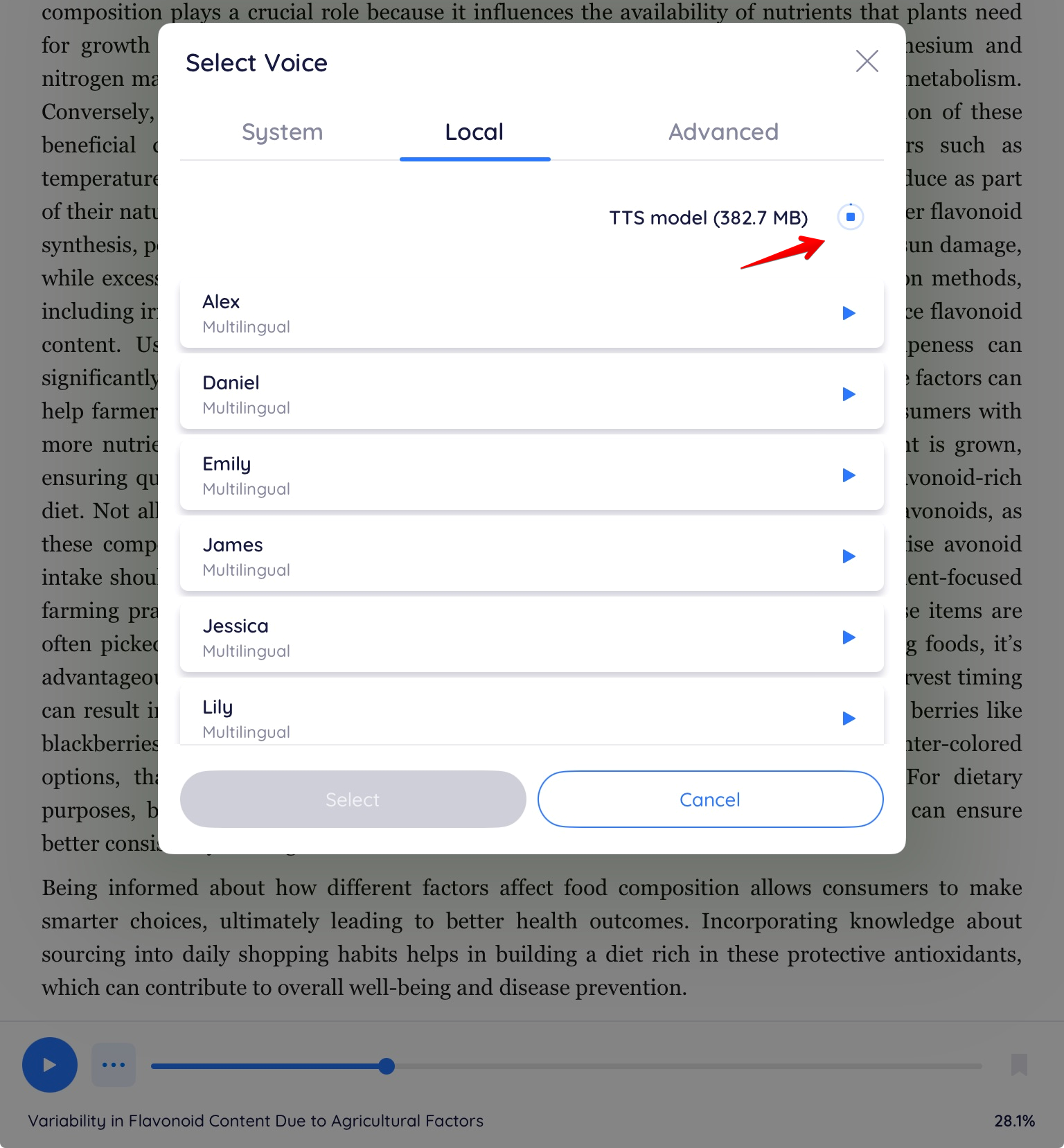
Tap the download icon next to TTS model to download the shared model the local voices rely on.
The icon changes to a stop icon while the model downloads. Wait for the download to finish before continuing.
-
Tap the play icon next to a voice, such as Daniel, to preview it.
-
Tap the voice you want, then tap Select.
The voice downloads to your device and becomes available for offline narration.
Once the TTS model and a voice have finished downloading, you can keep listening with that voice even when your device has no internet connection.
Switch between System, Local, and Advanced voices
The Select Voice dialogue groups voices into three tabs:
- System — voices already installed through iOS settings.
- Local — voices downloaded within BookFusion that work fully offline.
- Advanced — additional voice options, depending on your plan and device.
Tap a tab to browse its voices, then tap Select to apply your choice.
If something is not working
If an offline voice is not working as expected:
- Make sure the TTS model finished downloading before selecting a voice.
- Make sure the voice itself finished downloading.
- Make sure your device has enough storage space.
- Check your internet connection if a download appears stuck, then try again.