Offline Reading
On the mobile apps, KOReader, and Crosspoint, you can download books to your device and read them with no internet connection — handy for flights, commutes, or anywhere the signal drops. Your reading progress, highlights, and notes sync back to your account the next time you're online.
To read offline:
-
In the BookFusion app, find the book you want on your Bookshelf.
-
Download the book to your device so a local copy is stored for offline use.
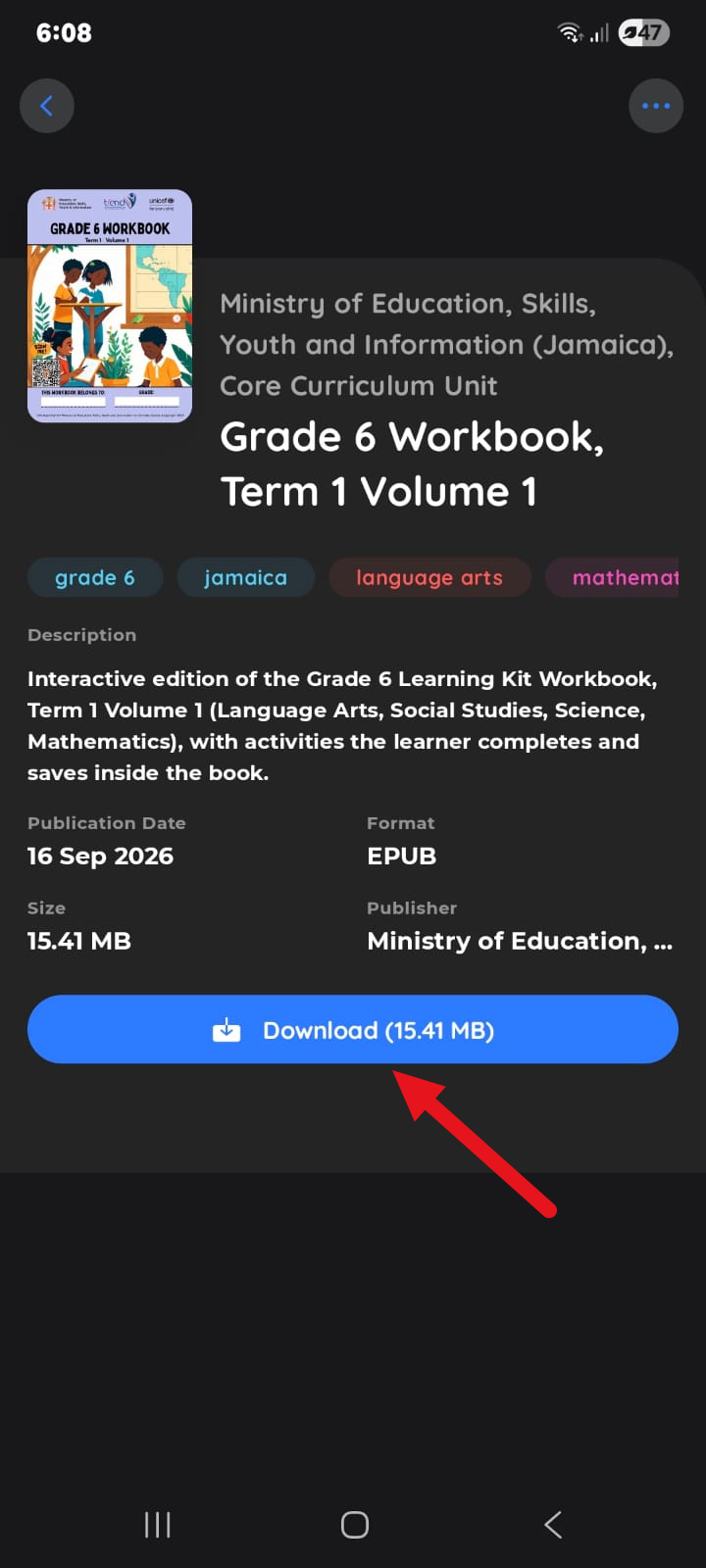
-
Open the downloaded book any time, online or off. When you reconnect, your latest reading position — along with any highlights and notes you made offline — syncs back to your account.
Freeing up space
Downloaded books use storage on your device. To remove a local copy while keeping the book in your account, use Remove From Device — this is different from deleting the book. See Deleting a Book for the difference between Delete Book and Remove From Device.