Installing the BookFusion KOReader Plugin
The BookFusion plugin for KOReader lets you browse your BookFusion library, download books directly to your device, and keep your reading position and highlights in sync across all your KOReader devices, plus the BookFusion iOS, Android, and web apps.
This guide covers:
Before You Begin
You'll need:
- KOReader version 2026.03 ("Snowflake") or later. Open KOReader and check for updates first. Most "the plugin doesn't appear" and "sync isn't working" issues come down to running an older version.
- A BookFusion account. If you don't have one yet, create one at bookfusion.com.
Install the Plugin
Step 1 — Download the Plugin
Download the plugin to your device or computer:
Download the BookFusion KOReader plugin →
Step 2 — Extract the Archive
Extract the downloaded archive. You'll get a folder named bookfusion.koplugin.
Step 3 — Copy the Plugin into KOReader
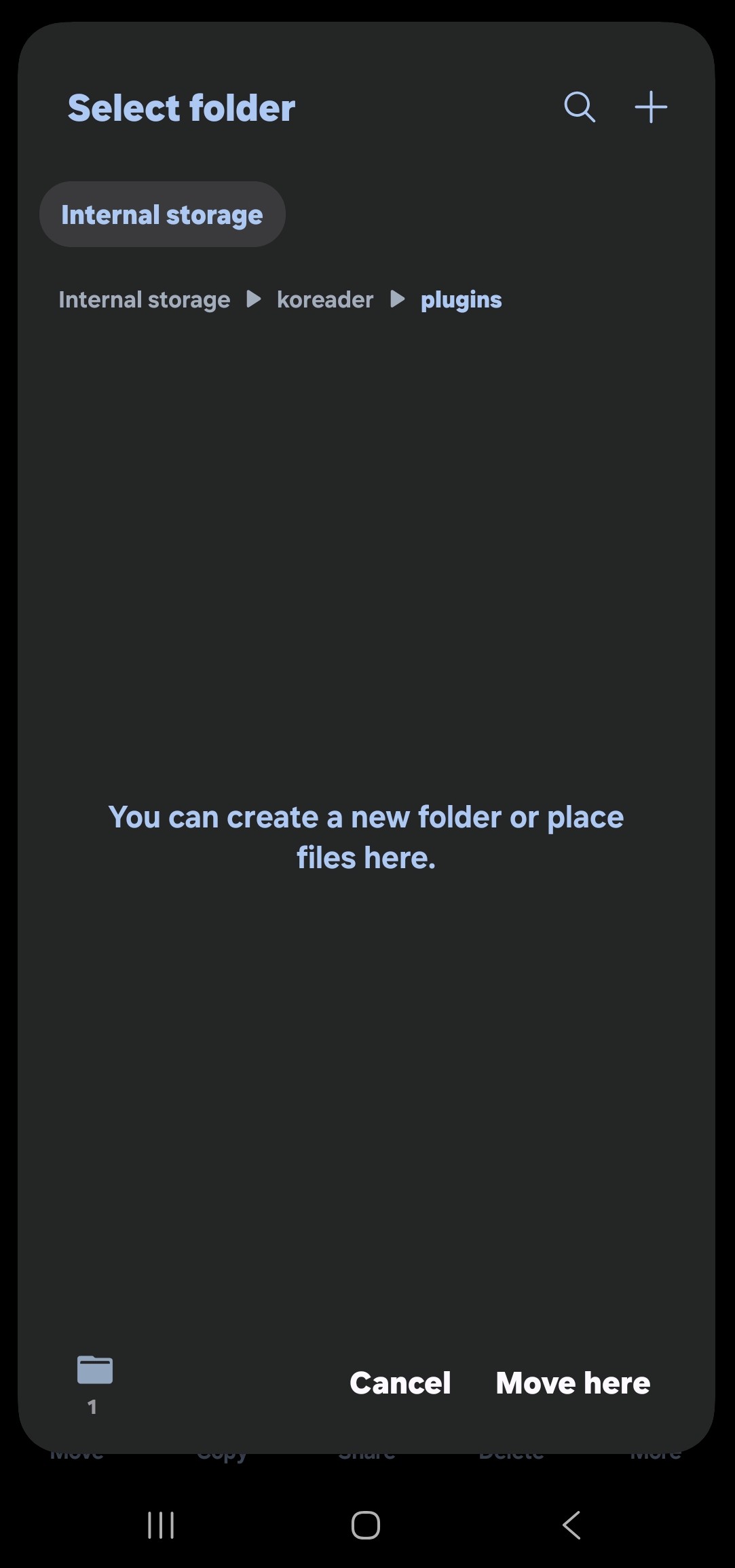
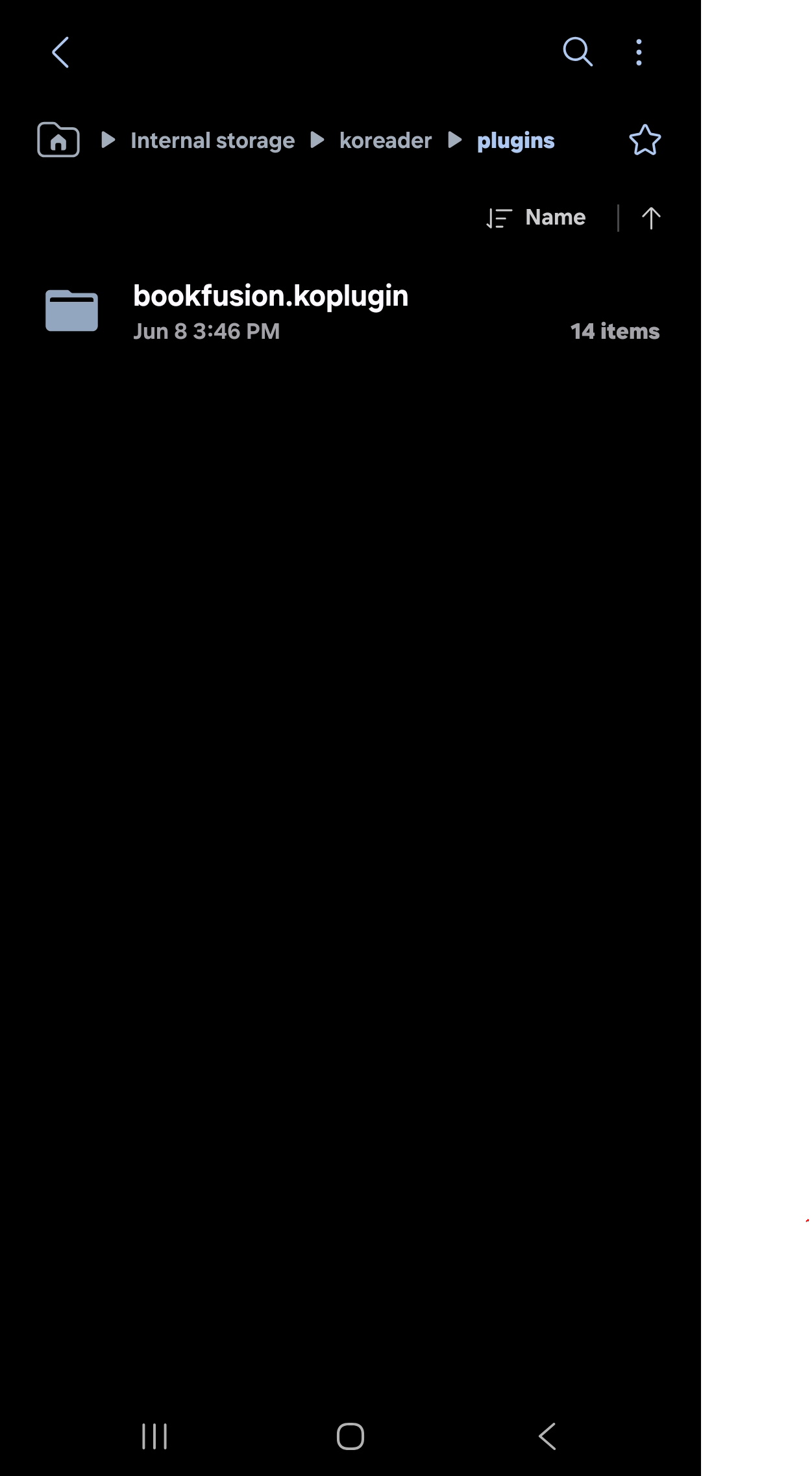
Copy the bookfusion.koplugin folder into your KOReader plugins directory. The location depends on your device, but it is always the koreader/plugins/ folder on the storage where KOReader is installed.
Step 4 — Restart KOReader
Fully restart KOReader so it loads the new plugin.
Step 5 — Confirm the Plugin is Installed
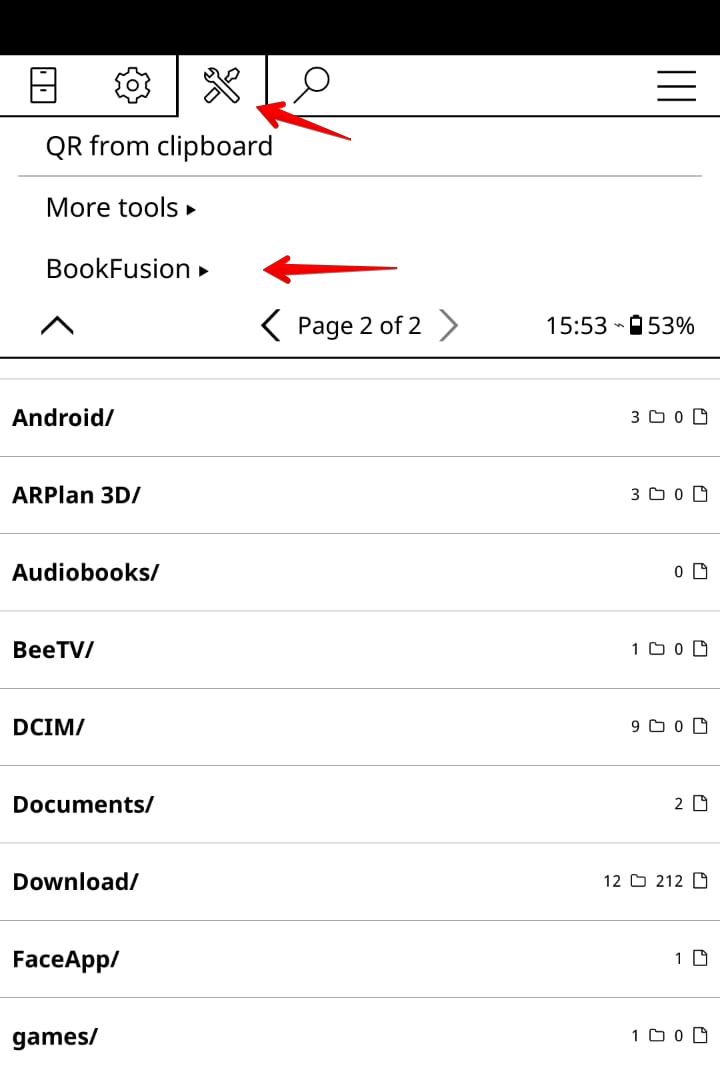
Open the Tools menu (the wrench/gear icon) and look for BookFusion. If you see it, the plugin is installed.
Once the plugin appears in your Tools menu, link your device to your BookFusion account.
Updating the Plugin
When a new version is released:
- Overwrite the existing
bookfusion.kopluginfolder with the new one. You do not need to delete the old folder first. - Your settings are stored outside the plugin folder, so they are preserved across updates.
- Some updates change how books are tracked or synced. If an update's release notes mention it, you may need to re-download a book for the fix to take effect on that title.