Setting a Preferred Format for Sync
When a book in your Calibre library has more than one format available, the BookFusion plugin needs to decide which one to upload. By default it picks EPUB first, then falls back to MOBI, then to whatever other format is available. The Preferred Format setting lets you override this so a specific format is always chosen first.
How Format Selection Works
When syncing a book, the plugin checks the formats stored in Calibre and selects one using the following priority order:
- Your Preferred Format (if set and available for that book).
EPUB(the built-in default).MOBI(the built-in fallback).- The first available format in Calibre's list.
If the book does not have the format you have set as preferred, the plugin falls back to the next option in the list — it never skips a book because a format is missing.
The Preferred Format setting applies globally to every sync. To upload a different format for a specific book, change that book's format in Calibre before syncing.
Supported Formats
The plugin can upload any of the following formats:
AZW AZW3 AZW4 CBZ CBR CBC CHM DJVU DOCX EPUB FB2 FBZ HTML HTMLZ LIT LRF MOBI ODT PDF PRC PDB PML RB RTF SNB TCR TXT TXTZ
Set Your Preferred Format
To set your preferred format:
-
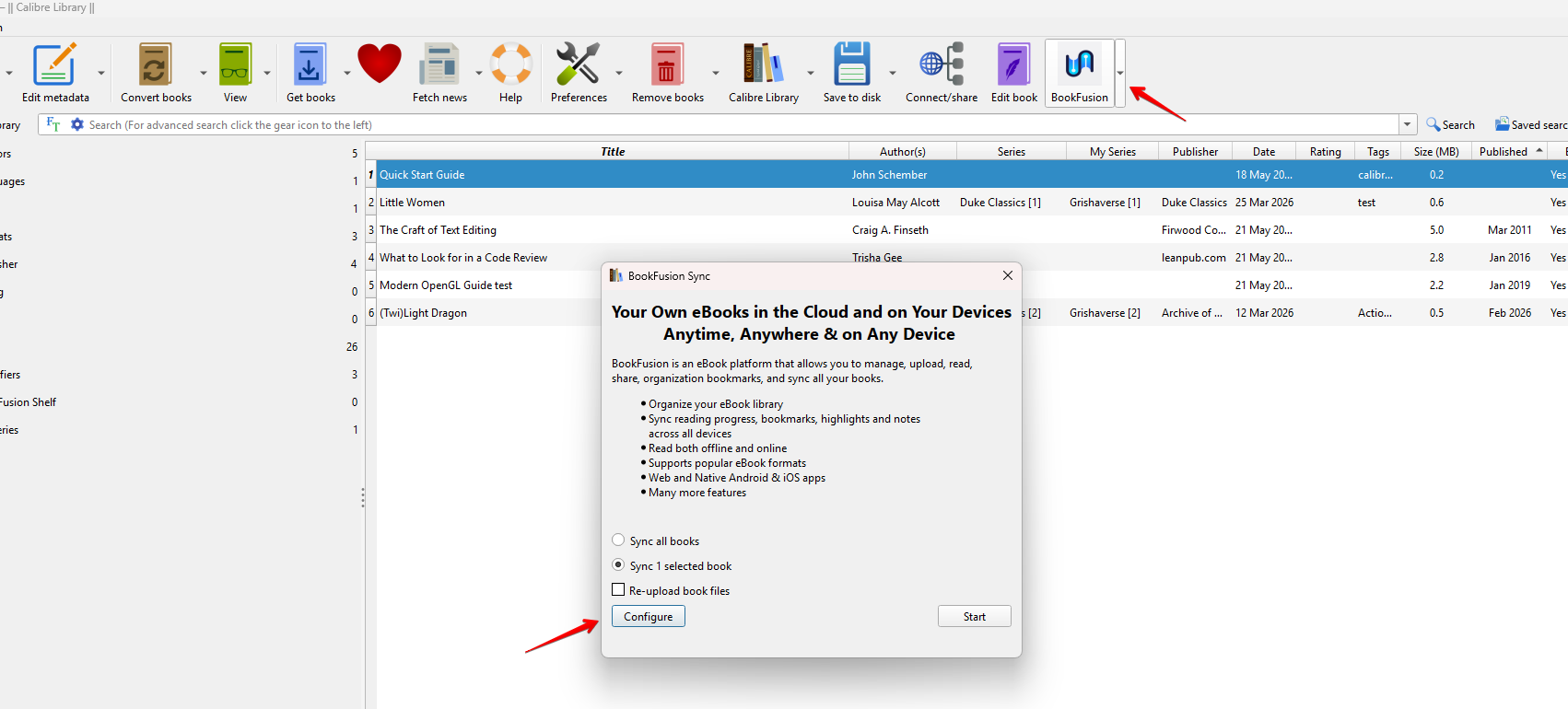
Open the BookFusion Sync dialog in Calibre and click Configure.
-
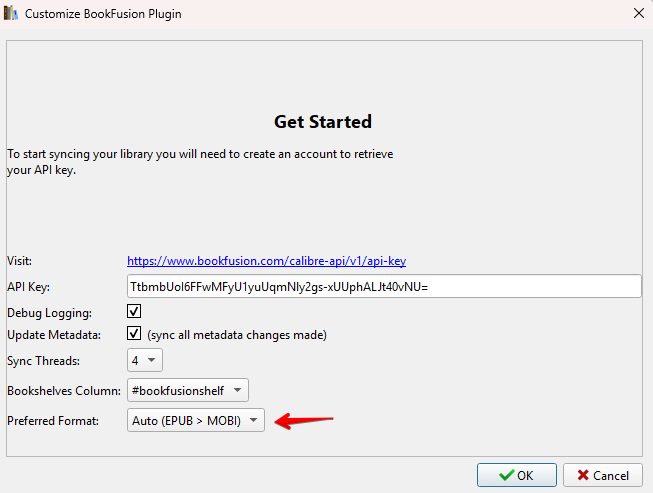
Locate the Preferred Format dropdown.
-
Select the format you want to prioritise from the list. Choose Auto (EPUB > MOBI) to use the default behaviour.
-
Click OK to apply the setting.
The next sync will use your chosen format for any book that has it available.