Redeeming a Book Card or Voucher
Redeem a BookFusion book card, voucher, or coupon code in the Store to add the book to your library.
Before You Start
Make sure you're signed in to BookFusion. The book is added to the account you're signed in to, so if you don't have an account yet, create one first.
Redeem on the Web
To redeem a code:
-
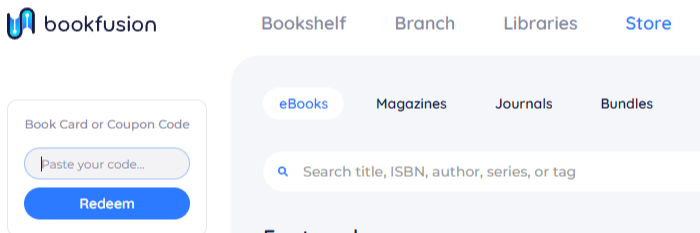
Click Store in the top menu. The Book Card or Coupon Code box is on the left.
-
Paste or type the code from your book card or voucher.
-
Click Redeem.
BookFusion takes you to your Bookshelf, where the book now appears.
Reading on mobile
Books you redeem on the web sync to your mobile apps automatically.