Editing Book Details & Metadata
If a book uploaded with a missing cover, the wrong title, or the wrong author, you can correct it on the web or in the mobile app.
Edit a Book on the Web
To edit a book on the web:
-
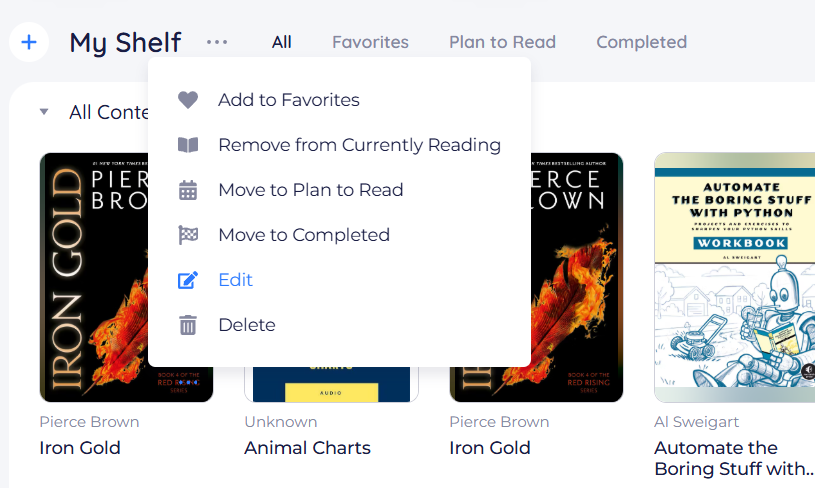
On your Bookshelf, click the three dots (⋯) on the book, then choose Edit.
-
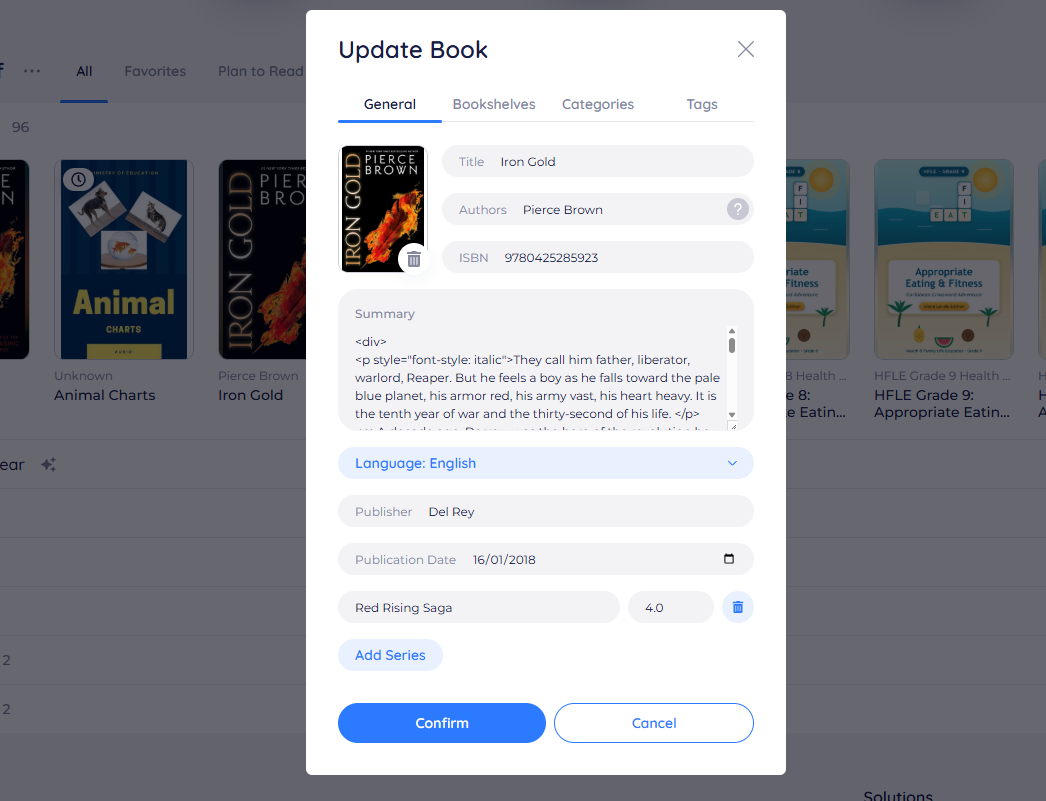
In the Update Book window, change the fields you need. The General tab has:
- Cover: upload a new image or remove the current one
- Title
- Authors
- ISBN
- Summary
- Language
- Publisher and Publication Date
- Series and series number
The Bookshelves, Categories, and Tags tabs hold the rest.
-
Click Confirm.
Your changes appear on the book straight away.
Edit a Book on Mobile
To edit a book in the mobile app:
-
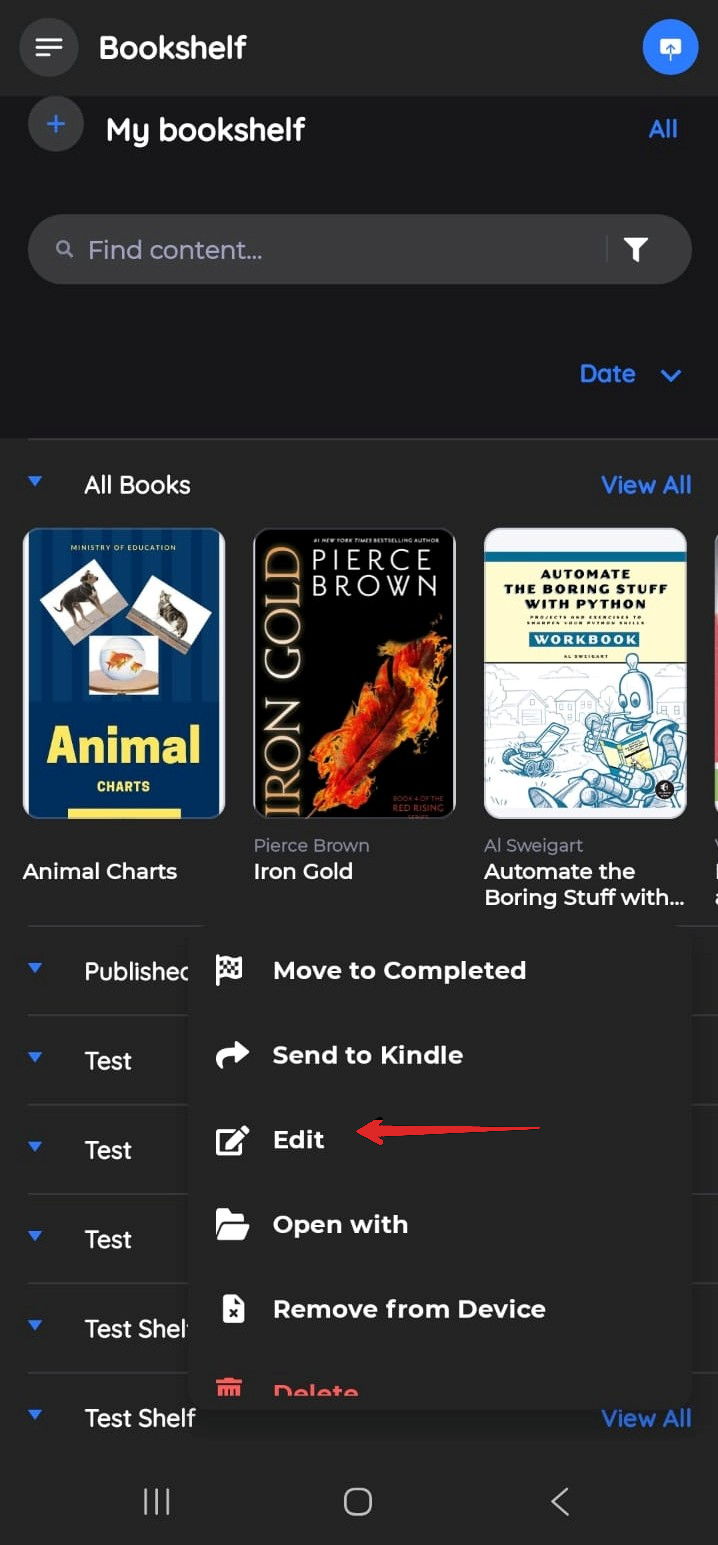
Press and hold the book, then tap Edit (the pencil icon).
-
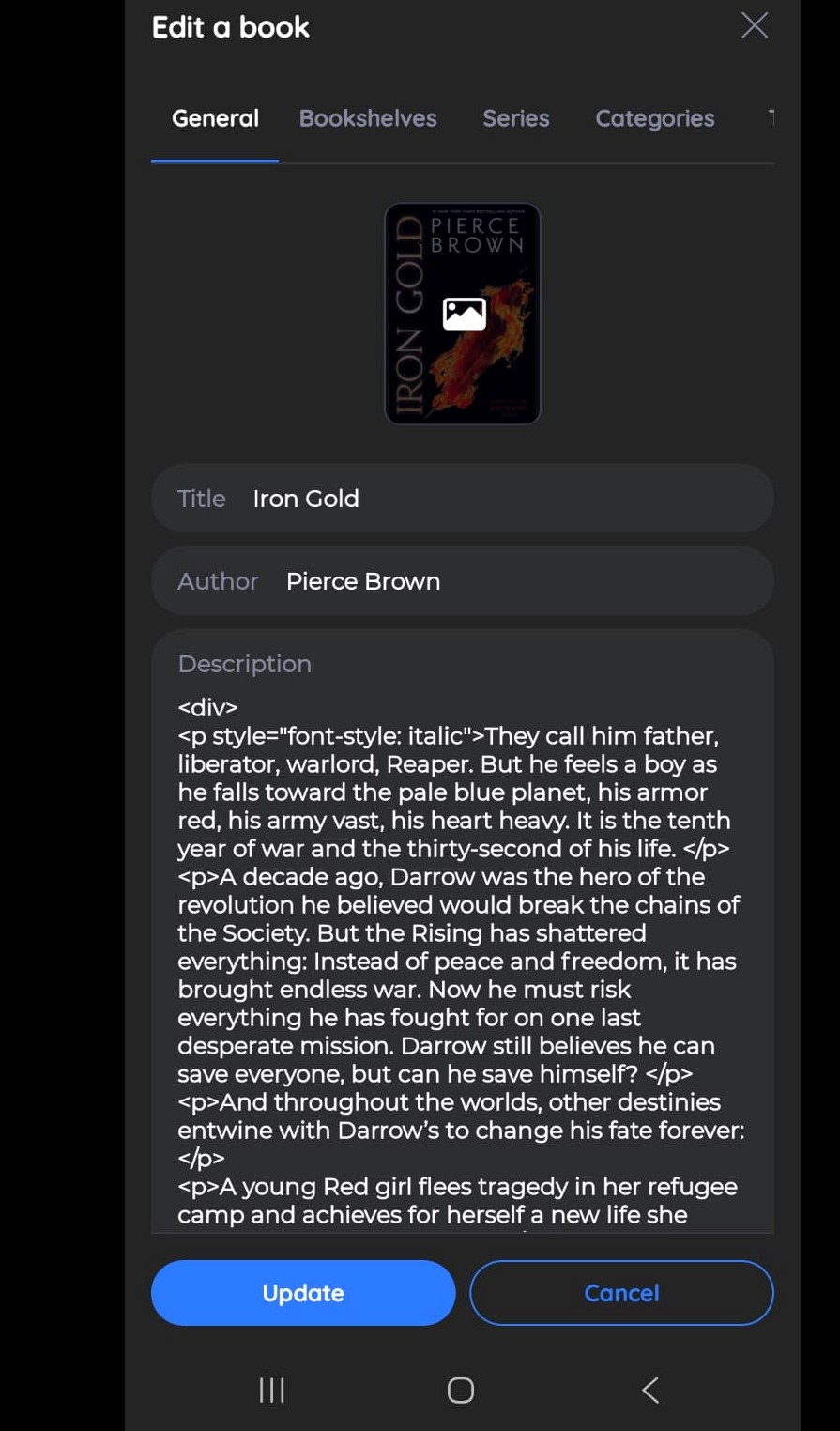
On the Edit a book screen, change the fields you need. The General tab has the cover, Title, Author, and Description. Use the Bookshelves, Series, Categories, and Tags tabs for the rest.
-
Tap Update.
Your changes sync to your other devices automatically.
To add a tag or move several books to a shelf in one go, use Making Bulk Changes to eBooks.